Futern 1.5: Deeper Prospecting with Live Web Search and AI Qualification
by Stella L
Meet Futern 1.5
Futern is a fully autonomous AI Sales Agent built to operate like a digital sales employee. It helps you find and verify leads and accelerate deal progress, so your team can spend more time on strategy and high-quality conversations.
With Futern 1.5, we focused on one thing: making prospecting more complete and more reliable when your ICP and requirements get complex.
What’s new in Futern 1.5
Understand More
Futern 1.5 handles complex ICP requirements beyond basic firmographics and contact details.
Cover More
Futern 1.5 uses live web search to capture up-to-date company context from across the open web.
Trust More
Futern 1.5 uses AI cross-verification to reduce false positives and deliver higher-confidence targets.
How teams use it in practice
Below is a step-by-step walkthrough you can follow. Add the screenshots for each step where noted.
Step 1: Log in to Futern
Open the Futern website and log in using your Google account or email.
Step 2: Describe your ideal customer in plain language
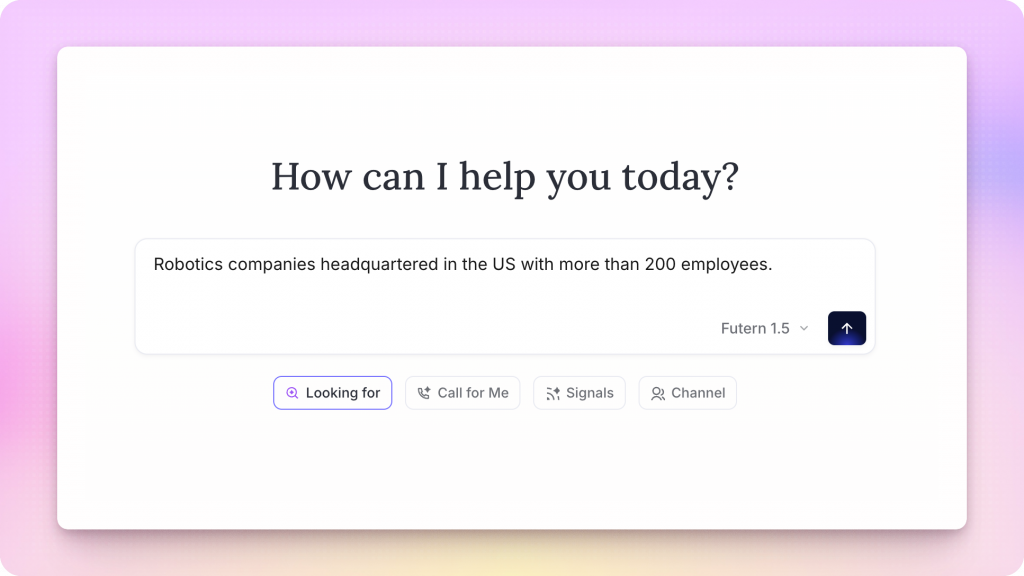
On the home screen, find the prompt input under “How can I help you today?”
Type your request in plain language, for example: "Robotics companies headquartered in the US with more than 200 employees".
Step 3: Switch the agent version to Futern 1.5
Before sending, confirm the agent version selector (bottom-right of the input area) is set to Futern 1.5, then click Send.
Step 4: Configure your search, then start prospecting
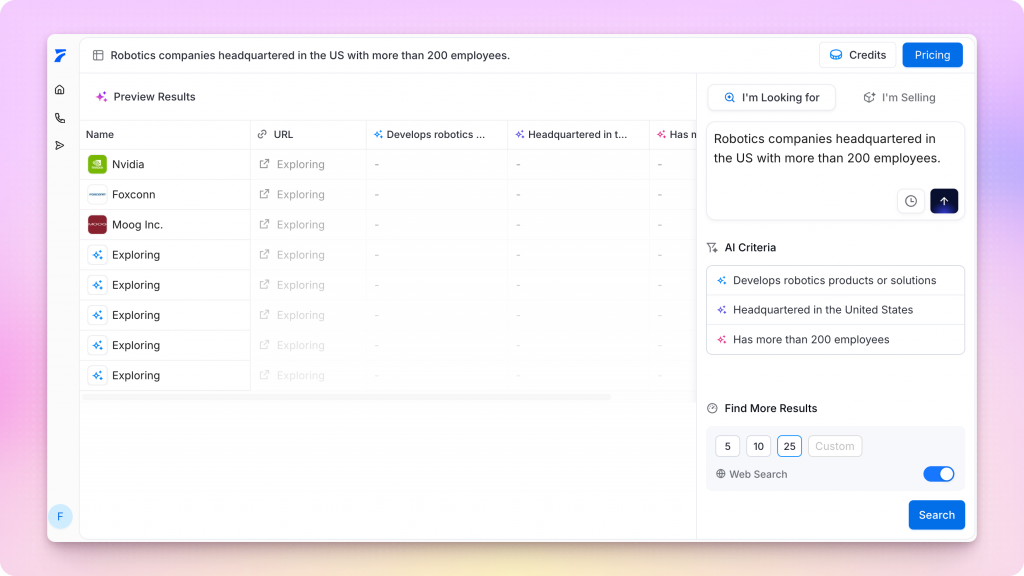
After you send the prompt, Futern will take you to “Prospecting for You…”.
Before the search starts, confirm the settings in the bottom-right:
- Find More Results: choose 5, 10, 25, or a custom number
- Web Search: toggle on if you want Futern to pull live open-web context for this run
Then click Search.
What happens next:
Futern finds matching accounts and verifies each one with real-world business context and supporting evidence, based on your requirements.
Step 5: Review Prospect Results and criteria matching
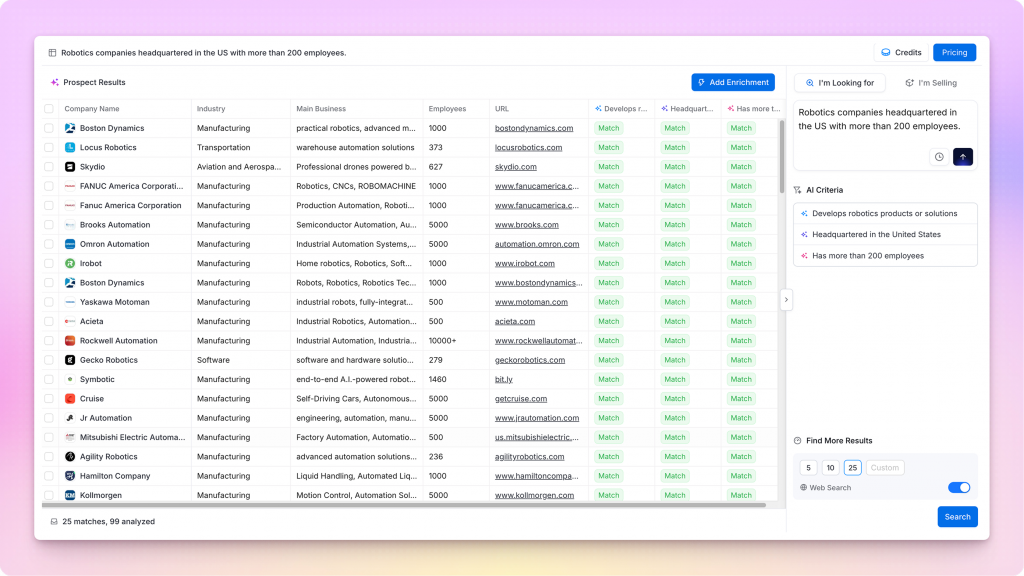
After a short wait, Futern returns a Prospect Results list. You will typically see fields like:
- Name
- Company Name
- Job Title
- Location
- Criteria match indicators based on your prompt (examples: “Develops robotics products or solutions”, “Headquartered in the United States”, “Has more than 200 employees”)
This is where Futern 1.5’s “Trust More” shows up in practice: the list is designed to be qualified and cross-verified, so you can move forward with confidence.
Step 6: Enrich results with additional data points
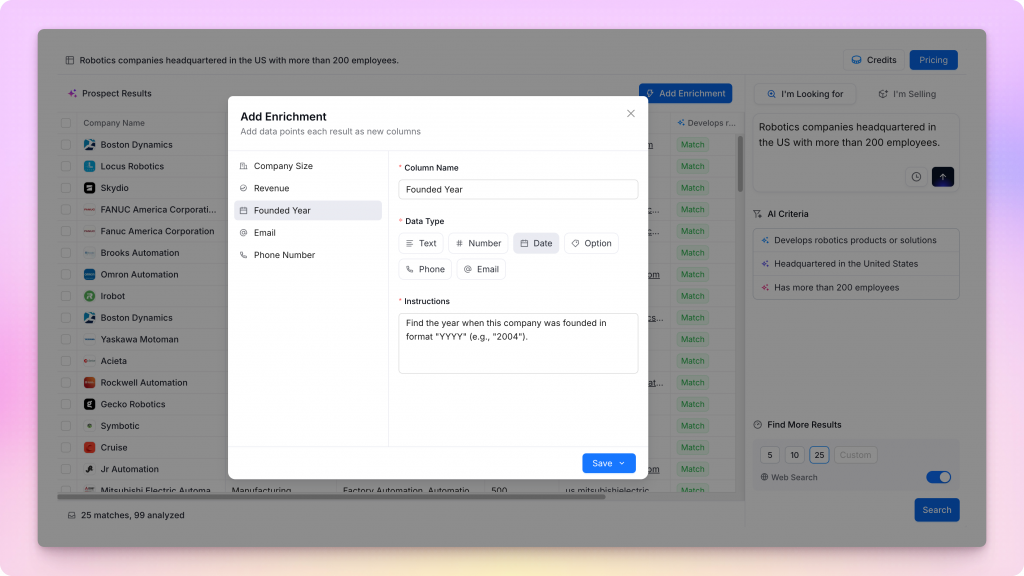
Need more detail per result? Click Add Enrichment to add more data points as new columns, such as Founded Year, and other attributes that help you prioritize and personalize.
When Futern 1.5 is most useful
Futern 1.5 is built for workflows where “good enough” lists create too much follow-up work, such as:
- Narrow ICP definitions with multiple constraints.
- Situations where context changes quickly and live web coverage matters.
- Teams that want fewer false positives and more defensible qualification.
Availability
Futern 1.5 is rolling out now, with broader access coming soon.
If you want to be among the next teams to get access, keep an eye on your in-product updates.
Read More
AI Sales Agents: Complete Buyer's Guide
Global Outbound Sales in 2026: What Actually Scales and What Doesn't
Explore more Futern Updates here.